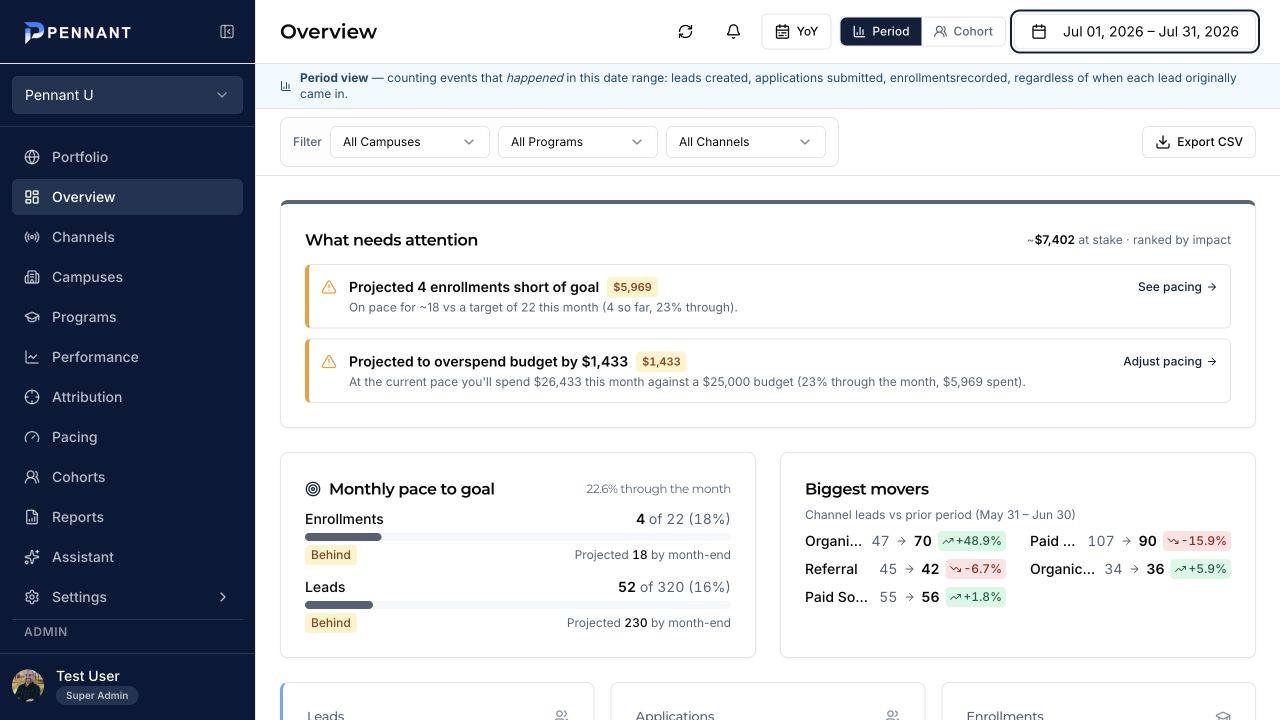
Pennant connects the systems, validates the records, standardizes the enrollment language, and applies consistent reporting logic—keeping every view grounded in the same data.
Each stage has a defined input, a clear purpose, and an output that feeds the next stage. That is what keeps the dashboard from becoming another disconnected report.
01
Start with the systems that already hold the truth.
Map and connect the source systems
Pennant maps advertising, CRM, budget, goal, campus, program, and reporting inputs, then defines how each source will arrive.
InputAd platforms · CRM · budgets · goals
OutputA documented source and field map
02
Bring each source into a recurring data flow.
Ingest current and historical records
Records refresh on a recurring schedule. Historical backfills establish the baseline for trends, cohorts, and year-over-year reporting.
InputSource records and reporting history
OutputA current, refreshable dataset
03
Reconcile the source data before using it to decide.
Validate before the numbers are trusted
Totals, date coverage, required fields, and source values are checked. Unknown or inconsistent values remain visible until mapped.
InputRaw fields · source totals · date coverage
OutputValidated records and visible exceptions
04
Make different systems speak the same language.
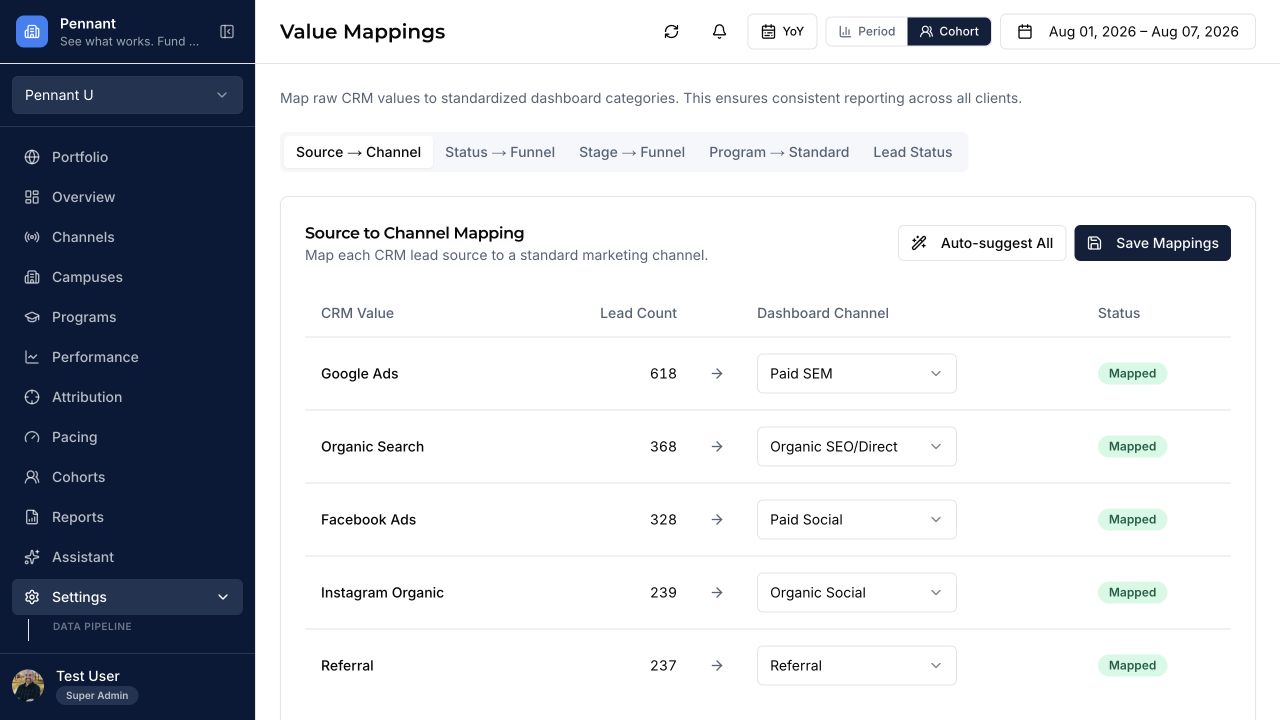
Normalize the enrollment language
Channels, funnel stages, campuses, programs, and reporting dates align to one higher-ed model while preserving the original source values.
InputSource-specific names and statuses
OutputConsistent dimensions and funnel stages
05
Place platform activity beside CRM truth.
Connect investment to confirmed outcomes
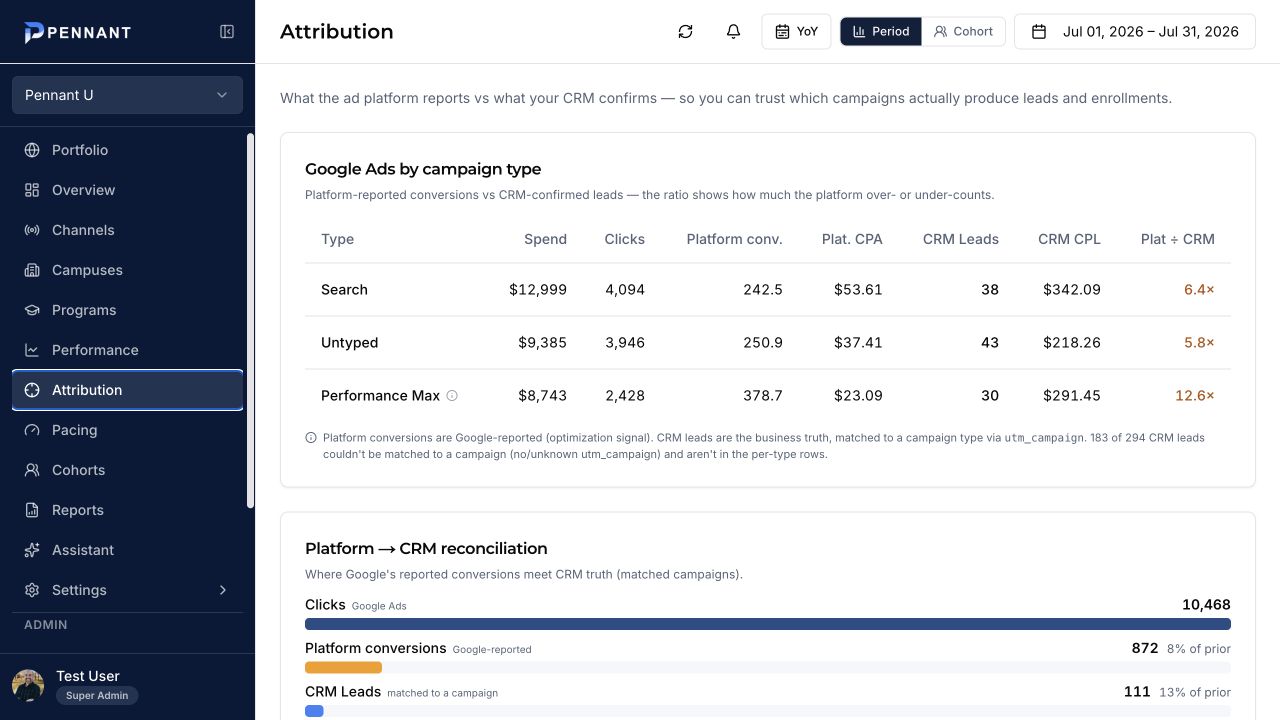
Advertising spend and platform conversions are compared with CRM-confirmed leads, applications, and enrollments using source-aware efficiency math.
InputSpend · source · campaign · CRM outcomes
OutputSource-aware attribution and efficiency
06
Apply the date logic that matches the question.
Calculate the right reporting lens
Period counts activity in the selected dates. Cohort follows acquired leads forward. YoY adds the equivalent prior-year window.
Turn the shared model into something teams can use.
Deliver one operating view
The governed data powers signals, pacing, attribution, performance views, exports, and Assistant answers using the same definitions.
InputNormalized and calculated metrics
OutputDashboards · reports · answers · decisions
The validation checkpoint
Connected does not automatically mean trustworthy.
Before the data becomes an operating view, Pennant and the institution confirm that the source coverage, totals, definitions, and mappings make sense together.
CoverageAre the expected dates, accounts, campuses, and programs present?
ReconciliationDo key totals agree with the originating source for the same window?
MappingAre channels, funnel stages, campuses, and programs classified correctly?
ExceptionsWhich values remain unknown, unmatched, late, or incomplete?
Pennant USettings · Value mappings
The calculation rules
The view changes. The definitions do not.
The selected reporting lens changes which records are counted and when. It does not change the underlying channel, funnel, campus, or program definitions.
Period
Counts each lead, application, or enrollment when that event happened inside the selected dates.
Cohort
Starts with leads acquired inside the selected dates and follows their later funnel progression.
Year over year
Adds prior-year values for the equivalent reporting window using the same metric definitions.
Paid efficiency
Calculates paid-channel CPL and CPE from eligible spend and paid-source outcomes.
Privacy
Uses pseudonymous IDs and performance attributes without requiring student names or contact information.
Attribution mechanics
Platform activity is not treated as enrollment truth.
Pennant preserves the advertising-platform perspective, then places it beside the downstream outcomes confirmed in the CRM. This makes differences visible instead of blending incompatible numbers.
Eligible paid spend÷Paid-source leads or enrollmentsSource-aware CPL or CPE
Pennant UAttribution · Period view
Implementation responsibilities
A shared build with clear ownership.
Pennant supplies the data model and implementation process. The institution supplies source access, definitions, context, and validation.
Your institution
Identify systems and data owners
Provide agreed source access or exports
Define funnel stages, campuses, and programs
Confirm budgets, goals, and reporting questions
Validate key totals and mappings
Pennant
Build the source and field map
Configure ingestion and historical coverage
Normalize channels and enrollment dimensions
Apply attribution and reporting rules
Reconcile, document, train, and launch
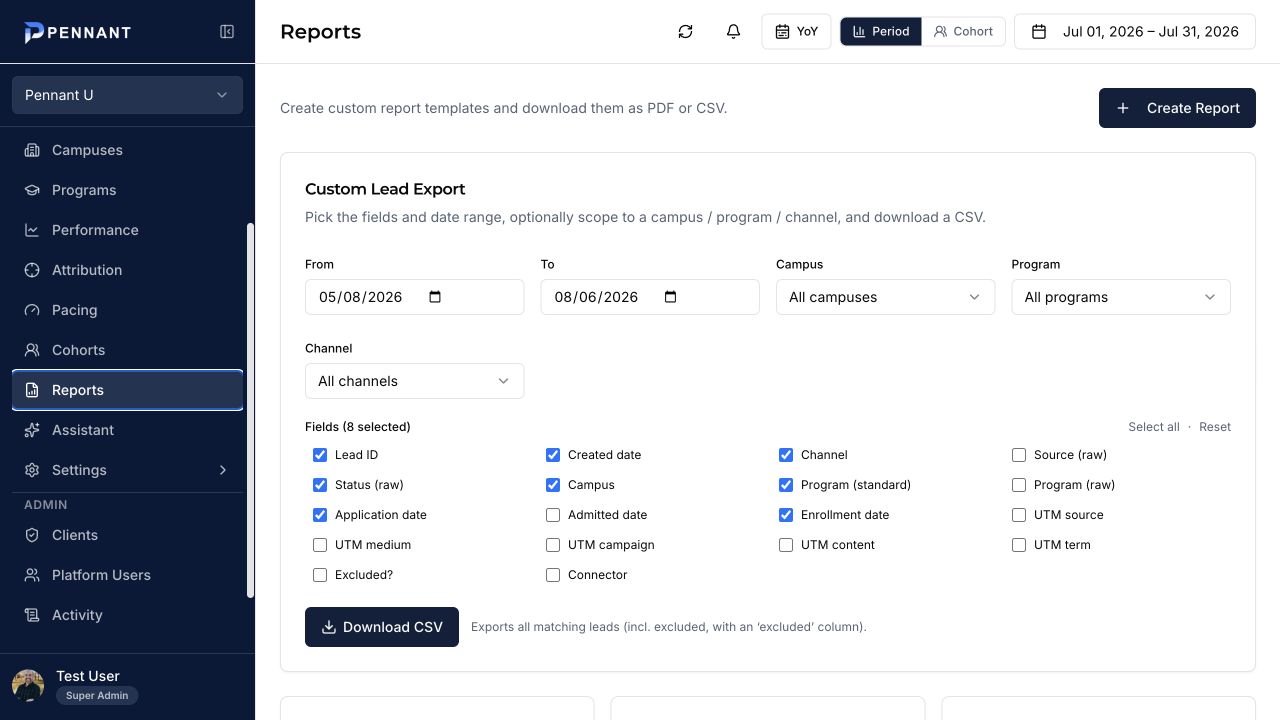
The resulting shared data can be used in dashboards, filtered exports, and recurring reports.
Implementation questions
What teams need to know before connecting data.
The practical mechanics behind access, refreshes, validation, privacy, and system ownership.
What does our institution need to provide?+
A source inventory, access to the agreed reporting inputs, the funnel-stage definitions your team uses, campus and program structures, budget and goal context, and people who can validate the resulting totals.
How are discrepancies handled?+
The implementation process compares key totals and mapped values with the originating source. Differences are investigated as mapping, timing, source-definition, or data-coverage issues before the view is treated as decision-ready.
How often does the data refresh?+
Pennant is designed for recurring refreshes throughout the day, including hourly syncs and historical backfills where supported. The available cadence depends on each connected source.
How does Pennant match records without student PII?+
Pennant can use pseudonymous record identifiers and the dates, statuses, sources, campuses, programs, and outcomes required for performance analysis without storing student names, email addresses, phone numbers, or street addresses.
Does Pennant replace our CRM or ad platforms?+
No. Those systems remain the systems of record. Pennant is the shared intelligence layer that aligns their data and applies higher-ed reporting logic.
Start with your actual environment
Map the path from your systems to one clear view.
Walk through your sources, definitions, reporting questions, and enrollment goals with Pennant.